
Export table and query results
Exporting a Table
Export any table from your project to a file on disk.
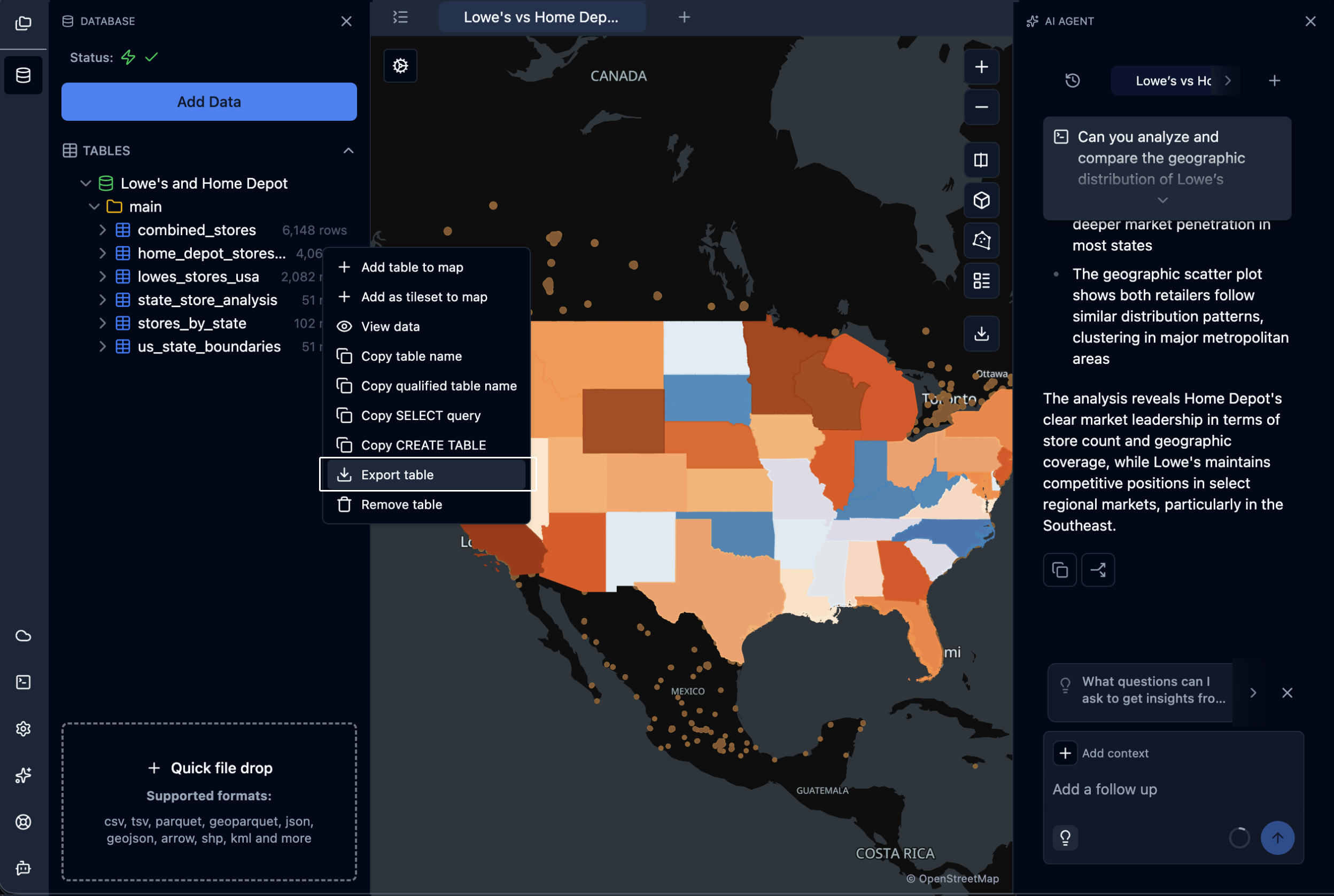
- Open the Data Sources panel.
- Right-click the table you want to export.
- Choose Export table from the context menu.
- In the save dialog, pick a format by choosing the file extension:
.csv— Comma-separated values with a header row..json— JSON array of records..parquet— Apache Parquet columnar format.
- Confirm the filename and location. The default filename is the table name; the default folder is the folder containing your
.spatialproject file (or~/Downloadsif unavailable).
Exporting Query Results
Export the results of a query directly from the SQL Editor — useful for extracting a filtered subset without creating a new table.
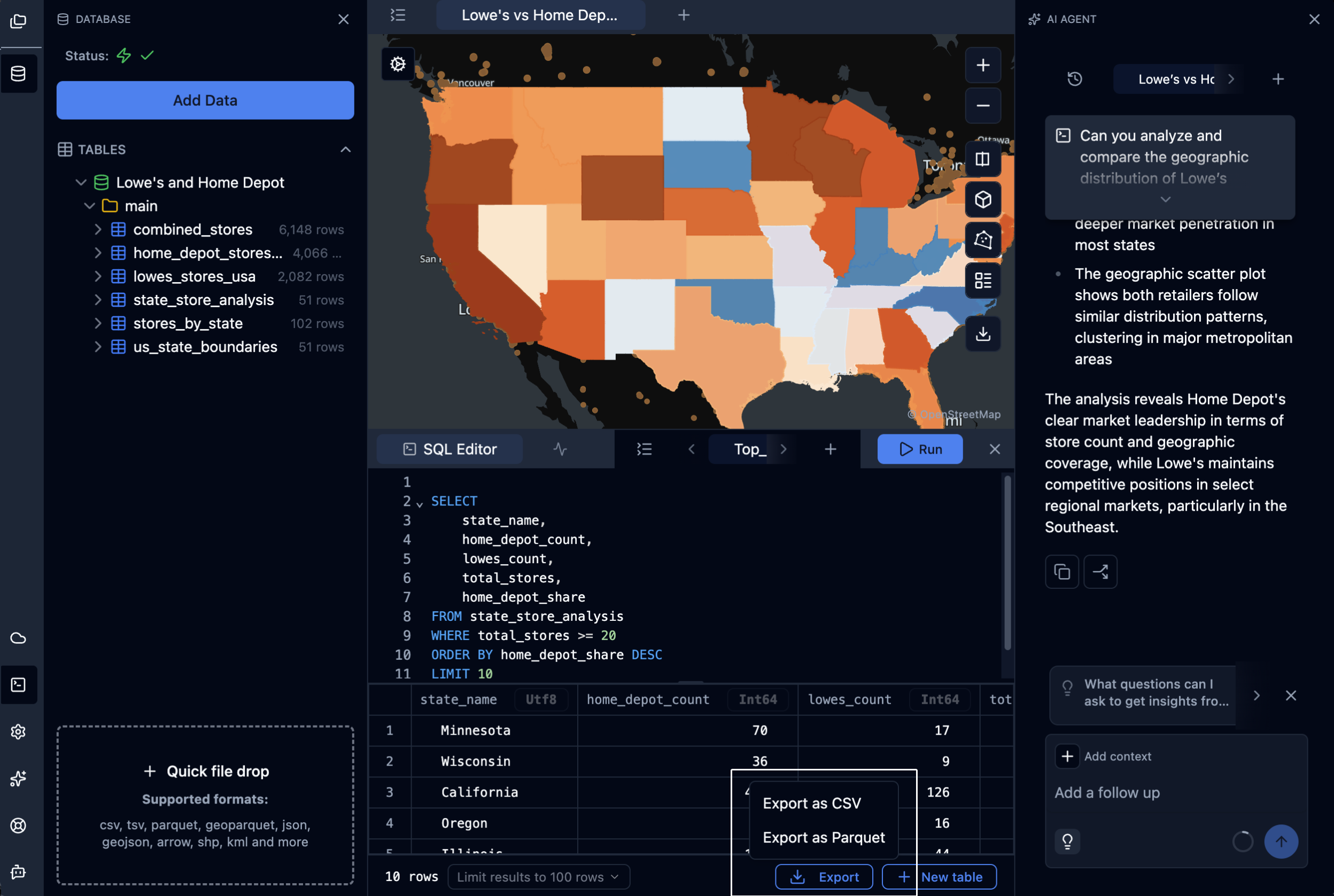
- Run a query in the SQL Editor.
- Above the results grid, click the Export button (download icon).
- Choose a format:
- Export as CSV — Comma-separated values with a header row.
- Export as Parquet — Apache Parquet columnar format.
- In the save dialog, confirm the filename and location. The default filename is the SQL tab name (or
query_resultsif unnamed).
If your query contains multiple SQL statements, a Multiple SQL Statements Detected dialog appears with three options:
- Last statement only — Export only the final statement's result.
- All statements — Run all setup statements first, then export the last statement's result.
- Close — Cancel the export.
Note: CSV exports always include a header row and use a comma delimiter. JSON export is not available from the SQL Editor — use the table export flow or a
COPYstatement instead.
Exporting via SQL
For advanced or scripted exports, use DuckDB's COPY statement directly in the SQL Editor. This gives full control over
format options, delimiters, compression, and partitioning.
COPY (SELECT * FROM my_table)
TO '/path/to/output.parquet' (FORMAT PARQUET);

COPY (SELECT * FROM my_table)
TO '/path/to/output.csv' (HEADER, DELIMITER ',');

COPY (SELECT * FROM my_table)
TO '/path/to/output.json' (FORMAT JSON, ARRAY);
Updated 4 days ago
Did this page help you?