
Export Map Images
- Open the map view you want to export.
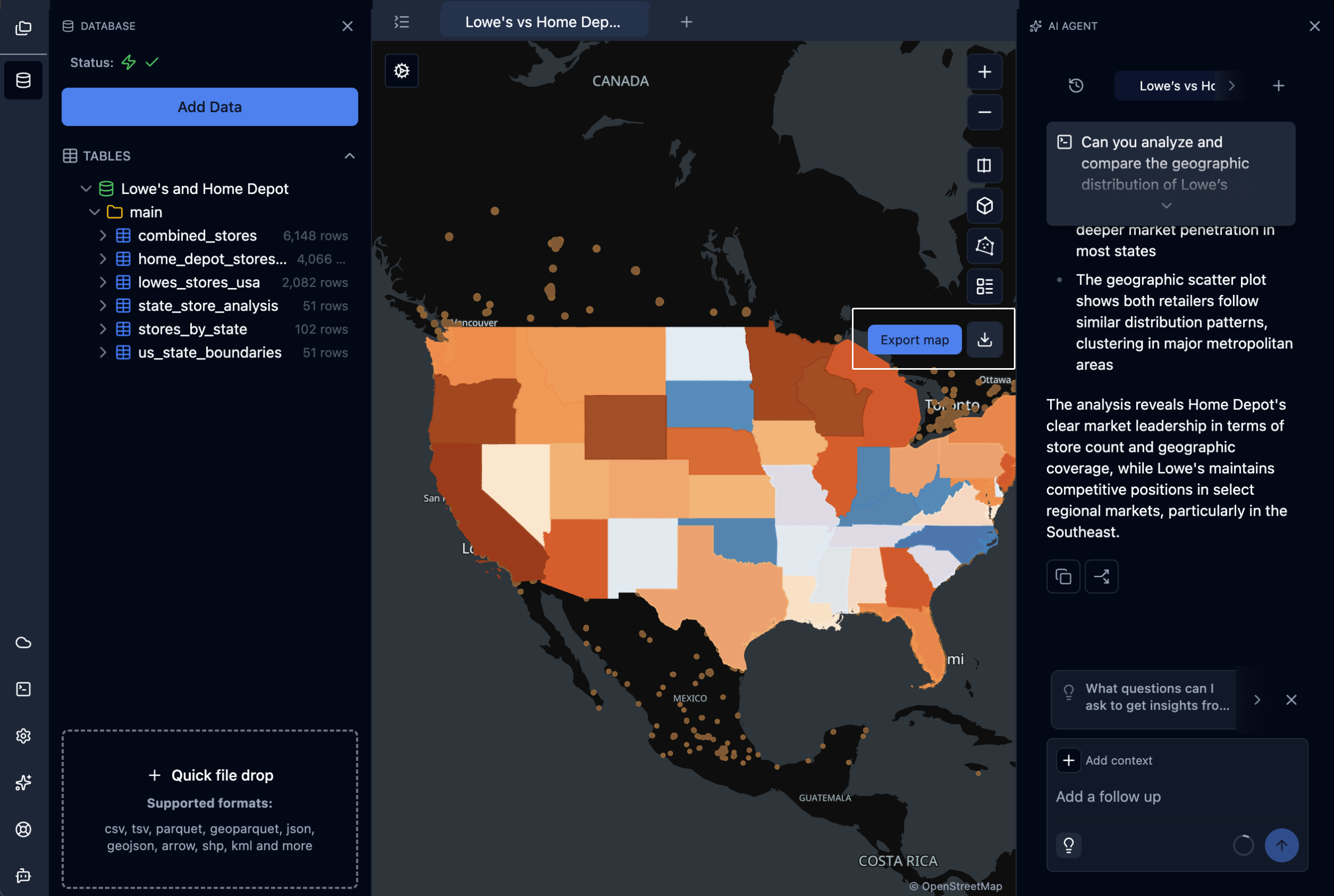
- In the map controls on the right side, click the Export map button (download icon).
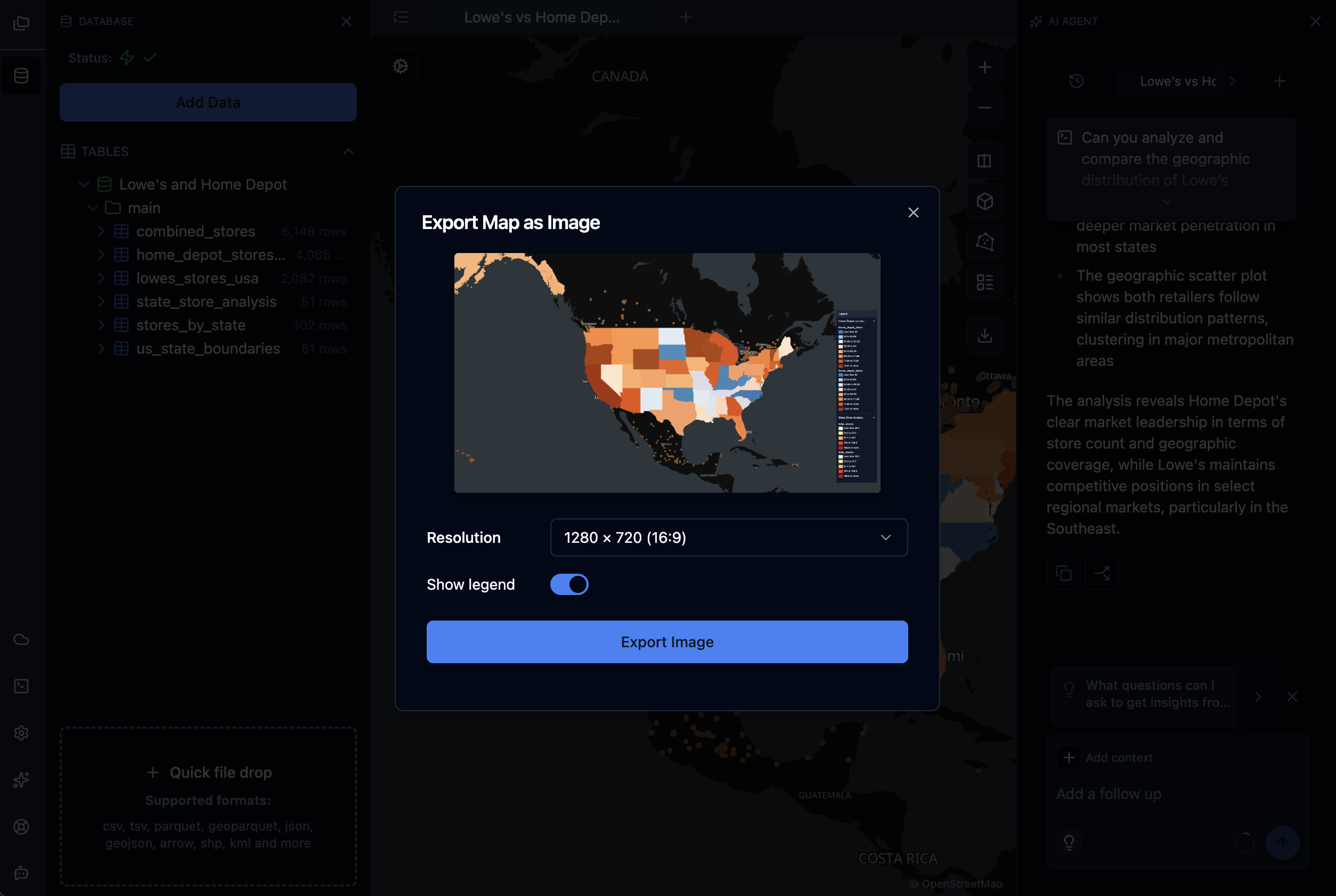
- In the Export Map as Image dialog, choose your options:
- Resolution — Pick a preset size. Default is
1280 × 720 (16:9). Other options include1920 × 1080,2560 × 1440,
1024 × 768, and additional 16:9 and 4:3 sizes. - Show legend — Toggle on to include the current layer legend in the exported image. Off by default.
- Resolution — Pick a preset size. Default is
- Wait for the preview to render. While the map re-renders at the chosen resolution, the button shows Processing….
- Click Export Image. The file downloads as
<map name>.png.
Note: Exports are always PNG. Custom dimensions and transparent backgrounds are not currently supported.
 |  |
|---|
Updated 5 days ago
Did this page help you?